
Death Order Armed Fight Event Guide
Treat a gun or knife announcement as a named combat assignment, not permission for the whole server to attack.
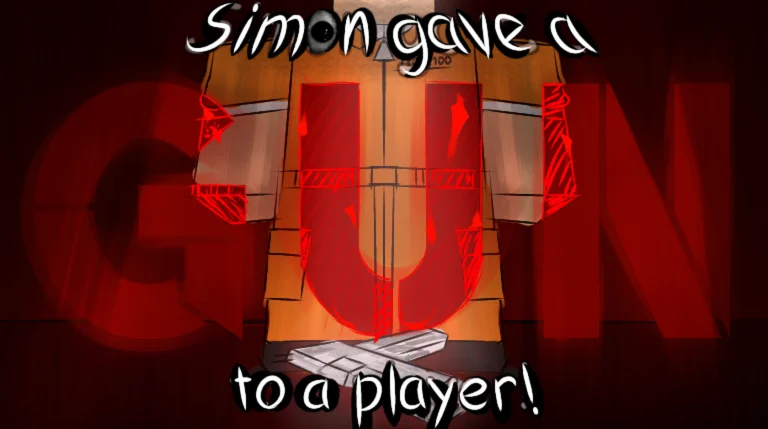
Table of contents
An Armed Fight gives a named player a gun, knife, or another combat assignment. Before reacting to the weapon, decide whether the assignment belongs to you. Selected players complete the named fight; everyone else should keep clear and continue watching the round.
QUICK ANSWER: A weapon announcement is not permission for the whole server to attack. Confirm your role first.
Confirm whether you were selected
Use the assignment message and your character state together:
- Read the named combat announcement.
- Check whether your character received the weapon or assignment.
- Identify the opponent or action named by the current round.
- Fight only when the assignment belongs to you.
- If it does not, create distance from the combatants.
Do not treat a nearby weapon effect as proof that your character was selected.
If you receive the assignment
Keep the assigned opponent in view and use available cover rather than standing in an open lane. Controlled movement makes it easier to aim, reposition, and notice when the round changes.
- Focus on the named fight instead of chasing unrelated players.
- Avoid moving so far that you lose both the opponent and the prompt.
- Do not assume every assignment gives the same weapon.
- Stop treating combat as active when the round moves to a new instruction.
Use the on-screen assignment instead of assuming a fixed damage value, control scheme, target rule, or timer for every fight.
If you were not selected
Move away from the selected combatants and keep escape space. Do not crowd the fight for a closer view, and do not copy a selected player's movement as if it were a Simon command. Keep the command area readable for the next round change.
For a two-player selected Duel, use the focused Duel Event guide.
First Blood connection
The First Blood badge names a first player elimination made with a knife, gun, or push kill. A successful eligible elimination can complete that goal, but the badge wording does not make every collision or every combat round count. Use the method actually assigned by the current round instead of inventing a shortcut.
See the exact enabled requirement in Badges. Use Events and Commands for the compact Armed Fight card, and How to Win for broader late-round positioning.
Related guides
Death Order: Simon Says Events and Commands
Search common commands and prepared Events to see the cue, the safe response, and the trap to avoid.
Read guideDeath Order Duel Event Guide
Recognize a Duel assignment, confirm whether you were selected, and respond without confusing combat with a normal movement order.
Read guideDeath Order: Simon Says Badges
Search all eight enabled badges and see the official unlock requirement for each one.
Read guideHow to Win Death Order: Simon Says
Use better positioning, cleaner inputs, and Event-specific decisions to reach the final survivors more often.
Read guide